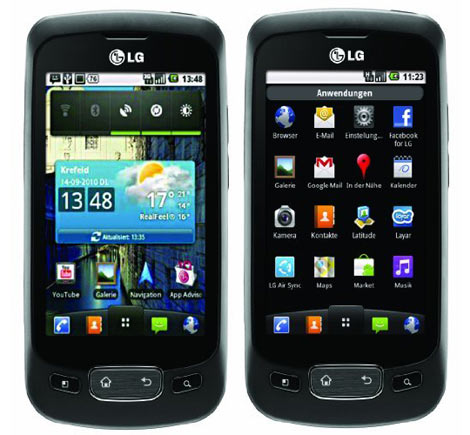
So Koodoo is having a deal on android phone LG Optimus One LGP500H and I couldnt resist and picked one up and unlocked it and wanted to start development on it. So here are some steps on LG Optimus One LGP500H installing usb driver.
So my first step is to get the USB driver working on my win7 machine.
I went to LG and downloaded their Mobile Support Tool to PC from http://www.lg.com/ca_en/support/product/support-product-profile-mobile-redux.jsp?customerModelCode=LGP500H&initialTab=drivers&targetPage=support-product-profile-mobile-redux
Once downloaded I launched the app.
Here is a step by step instructions of it.
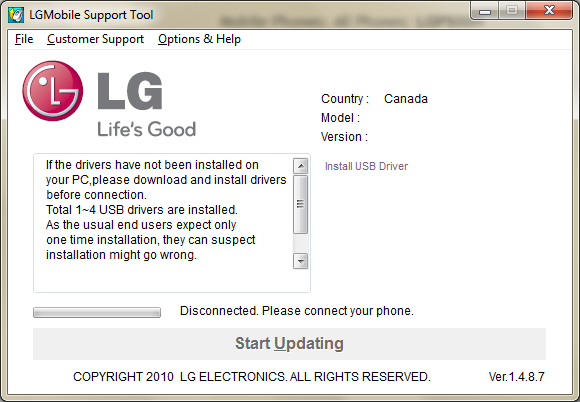
One has to click on the Install USB Driver (yeah I know it looks grey out but one can click on it)
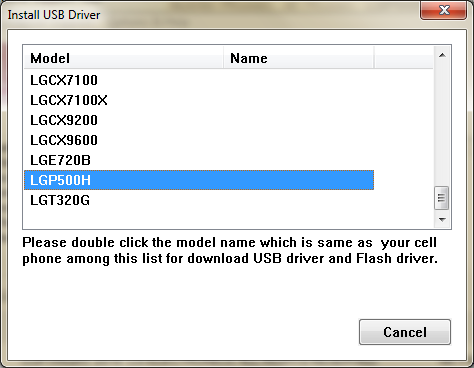
Next select the model of your phone and double click, which is LGP500H for us.
Then it will launch the install of the driver and select English
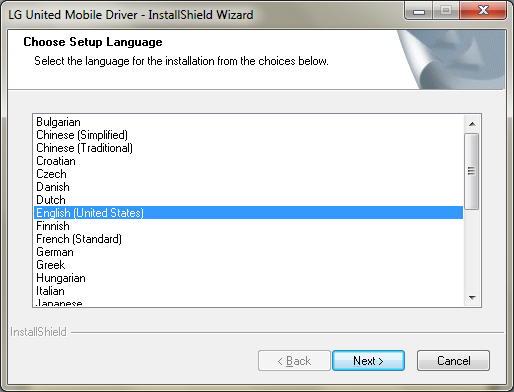
Click Next
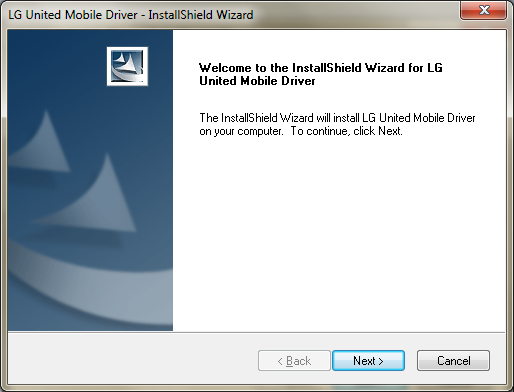
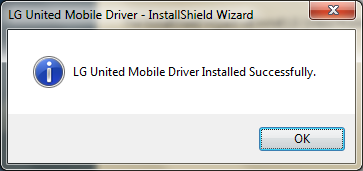
And you will next see that the install is successful.
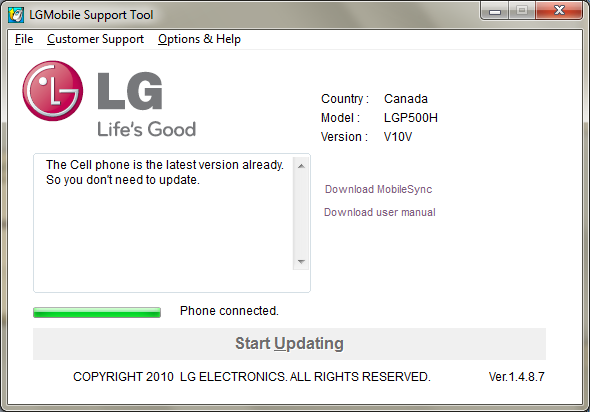
Now you can plug in your phone and it should try to update it but since its update to date there is nothing to install optionally one can install the mobile sync app and manual.
Hope this helps 🙂

SO helpful! thank you! I’ve been trying to figure this out for like an hour, then i found this site. THANK YOU!
No Problem.
How did you unlock your phone?
I used these guys to unlock http://www.ottawapc.ca/ they send me the code by email. But there are cheaper ones on ebay.
Go through this thread http://forums.redflagdeals.com/koodo-lg-optimus-one-150-starting-friday-1016684/
and you will find the ebay link related unlock.
hello, unfortunately, my phone cannot be recognized. I’ve got LG p500, and lgp500h seems to be the correct one for this app.
Nevertheless it only shows CANADA as my country, that I sellected manually, and I’m with Koodo, it did show it in driver phone support list.
please help!!!
What os are you using? Windows 7 or vista or xp?
donde descargo la version 1.4.8.7 copyright 2010 de este programa
porque solo encuentro el copyright 2008 version 1.5
Where to download the 1.4.8.7 version of this program copyright 2010?
because I only find the copyright 2008 version 1.5
:S
I tried but not luck. Then found how to change country/language.
Changed to Canada English and its down.
If you have LG P500, then to install the drivers, select INDIA as your country and English as the language. P500 shows up now…
Thank you. It was very helpful
thanx dear it really helped ….i purchased this phone in march i wanted to update it….i was trying really hard..thax alot
sanjay frm india
I got through all of the steps you mentioned above with the pictures but I was wondering; I want to put music on my phone, how do I do that? Do I need to have that modem and driver oon my phone, or what?
Thanks!
You can just mount your SD card and copy the music over to your phone from your computer.
i have the lg c555 can u get me one for that
the LG site should have your driver.
solo necesito saber como puedo baja el software de mi cel LG P500h a mi sistema de computo, necesito bajar unas grabaaciones no puedo si alguien me podría ayudar con este porblema gracias…y saludos a todos
hi , i sat up for two hours last night trying to download the software update from lg… download was fine but update froze at 4% three times ! i gave up , called lg this morning and they said their system was down . as far as i know it still is as i write this at9pm monday evening
Tengo un LG-500h , como consigo los drivers para sincrinizarlo con mi PC?
Muchas Gracias
Hi Guys!! On the back of LG Optimus Net mobile phone you’ll find the smartphone’s camera and there is a micro SD expansion slot behind the battery cover on the left side.
is there any direct link plz ? i can not download from the site
Thank you so much bro, took me like 2 hours to figure this shit out
thanx so much dud
I am stuck on the step where I selected my model number (LGP500h) it then gives me a screen telling me it’s downloading the driver, and the progress looks like it makes it to 100%, but then nothing. It just hangs there…
I am sure this article has touched all the internet visitors, its really really fastidious post
on building up new weblog.
I had the hang problem with my LG-P500H too. It sometimes stuck at the “copying files” prompt, sometimes at the “extracting files”. After 5 hours of investigation and looking through all kinds of forums, I ended up picking the LG-P999 model. It seems that LG has a universal driver… now it all works fine.