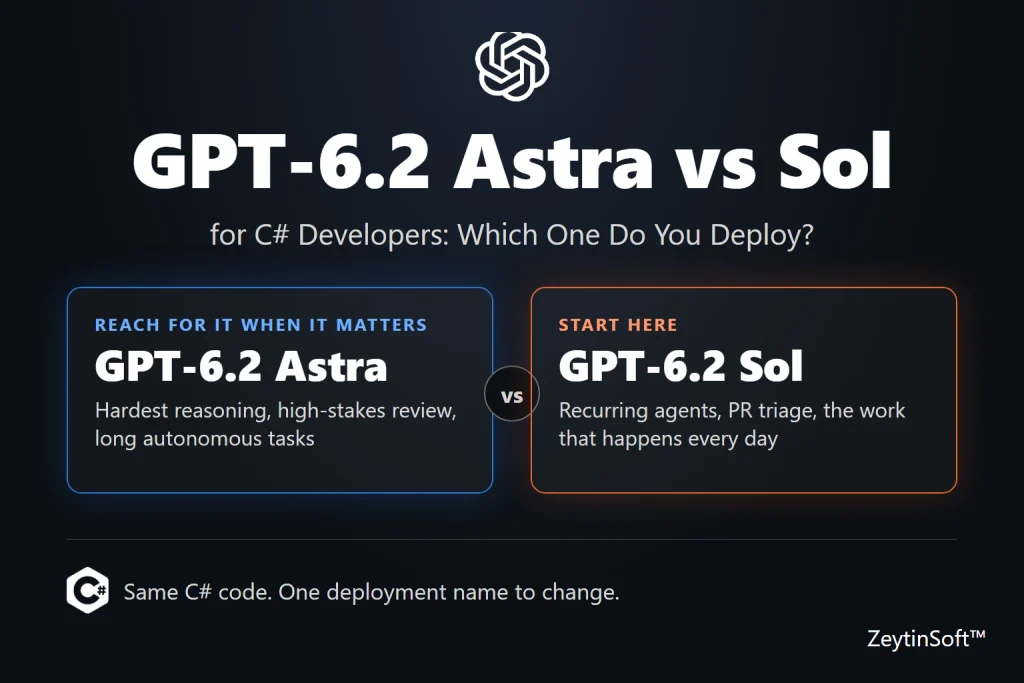
When I wrote about GPT-6 Astra, the question was: can a model take a messy problem, investigate it, and hand back something worth reviewing? When I wrote about GPT-6.1 Sol, the question was: can you afford to do that every time the work shows up?
On November 17, 2026, both models were made generally available GPT-6.2 Astra and GPT-6.2 Sol . Now the two questions land on the same desk, and you have to choose. This post puts the two models next to each other: what OpenAI says changed, what the price difference means per task, and a small .NET 10 program that sends the same work to both so you can decide with your own numbers.
No Python required. The code uses C# and Microsoft.Extensions.AI.
What changed
A note on names first, because Sol’s numbering is odd. GPT-6.2 Astra is an upgrade to GPT-6 Astra. GPT-6.2 Sol is built on GPT-6.1, so it upgrades GPT-6.1 Sol.
| GPT-6.2 Astra | GPT-6.2 Sol | |
|---|---|---|
| Upgrades | GPT-6 Astra | GPT-6.1 Sol |
| What Microsoft says improved | Reasoning, writing, coding, computer use, and creating documents, slides and spreadsheets | More concise technical writing, more focused coding and debugging, better decisions about when and how to use tools, front-end design, a more natural interaction style |
| Microsoft’s headline claim | Higher average accuracy than GPT-6 Astra with substantially fewer output tokens, so a lower cost per task | Not stated as a cost claim |
| Training data up to | May 2026 | July 2026 |
Microsoft’s announcement doesn’t give benchmark numbers, only “Foundry testing”. Treat those lines as positioning, not proof. The right model for each job, as Microsoft itself says, is something to settle with evaluations.
What stays the same
Per Microsoft Learn’s model reference, both models share the same specification:
- Model IDs: gpt-6.2-astra and gpt-6.2-sol, both dated 2026-11-17.
- Context: 1,050,000 tokens total, with up to 922,000 input and 128,000 output.
- Inputs and outputs: text and image in, text out.
- APIs: Responses API and Chat Completions API. Function calling and parallel tool calls are Responses API only.
- Capabilities: structured outputs, tools, computer use, reasoning, and reasoning-effort and verbosity controls.
- Deployment: Global Standard, Data Zone Standard (US, EU, APAC) and Global Provisioned Throughput.
One thing to check yourself: the Learn page doesn’t list streaming for either 6.2 model, though it did for GPT-6 Astra and GPT-6.1 Sol. If you stream responses to a user, test it on your deployment before you rely on it.
Because the surface is the same, switching between them in C# is a deployment-name change. That is what makes the comparison below cheap to run.
The price gap
These are Microsoft’s Global Standard prices for short context, in USD per million tokens:
| Input | Cached input | 30-minute cache write | 12-hour cache write | Output | |
|---|---|---|---|---|---|
| GPT-6.2 Astra | $8.00 | $0.40 | $10.00 | $20.00 | $40.00 |
| GPT-6.2 Sol | $2.00 | $0.10 | $2.50 | $5.00 | $10.00 |
Long-context requests cost more for both (Astra $16 input and $60 output, Sol $4 input and $15 output), and Data Zone deployments cost more again. Check the Azure OpenAI pricing page for your region before you plan a budget.
Look at the pattern: Astra costs exactly 4 times Sol on input, cached input and output. So for the same task, Astra only matches Sol’s bill if it uses a quarter of the tokens. GPT-6.2 Astra is also cheaper than the Astra before it: GPT-6 Astra was $10.00 input and $50.00 output, with cached input at $1.00, so the new model is 20% cheaper per token and 60% cheaper on cached input. And Microsoft’s claim is that it uses substantially fewer output tokens. Both are comparisons with the old Astra, not with Sol.
A worked example, with assumed numbers: 1,000 runs of a task that sends 3,000 input tokens (2,000 of them cached) and gets back 600 output tokens.
| Uncached input | Cached input | Output | Total | |
|---|---|---|---|---|
| Astra | $8.00 | $0.80 | $24.00 | $32.80 |
| Sol | $2.00 | $0.20 | $6.00 | $8.20 |
Reasoning tokens are billed as output tokens, so they sit in the output column. That is why a short answer can still be expensive.
Caching, briefly
Cached input costs 5% of the normal input price on both models. Writing to the cache has a price too: a 30-minute write is 125% of the input price, and the opt-in 12-hour write is 250%. Per Microsoft’s announcement, you opt in by setting prompt_cache_options.ttl to “12h” in a Responses API request. A 12-hour write costs more, so it pays off only when the same long prefix is reused many times across the day, such as a shared policy or a reference document. If a job runs once, use the default.
Vendor benchmarks, with a caveat
OpenAI published benchmark charts for the launch. I haven’t re-run them. The numbers below are as relayed by DataCamp, which labels them vendor-reported:
| Benchmark | 6.2 Astra | 6.2 Sol | GPT-6 Astra | GPT-6.1 Sol |
|---|---|---|---|---|
| FrontierCode 2.0 (coding) | 44.2% | 43.8% | 42.8% | 39.0% |
| Agents’ Last Exam v1.1 | 78.3% | 73.0% | 73.1% | 72.5% |
| GDPval v2 (OpenAI internal) | 50.4% | 46.9% | 44.2% | 41.5% |
| SecureSWE (OpenAI internal) | 65.7% | 55.6% | 48.7% | 49.7% |
| AutomationBench 1.0.6 | 52.4% | 41.2% | 41.4% | 36.1% |
| Terminal-Bench-Science 0.1 | 77.1% | 68.0% | 68.1% | 57.0% |
Two things stand out. First, on coding the two are nearly tied: 44.2% against 43.8%. For that benchmark, DataCamp relays a cost per task of $5.97 for Astra and $1.29 for Sol. Second, the gaps open up on long, multi-step and security-heavy work, such as AutomationBench, SecureSWE and Terminal-Bench-Science. That matches how Microsoft positions the pair: Astra for the hardest reasoning, Sol for production agents.
Two cautions. These are one vendor’s own tests, and some are internal benchmarks you can’t reproduce. And DataCamp’s own mixed findings are worth a look: it reports that tighter safeguards mean more refusals, including on some legitimate security research, and that in its dashboard test the previous Astra handled a messy dataset more sensibly. Your tasks will decide, not a leaderboard.
The .NET setup
Create a project and pin the packages. I compiled this on .NET 10 with the versions below.
|
1 2 3 4 5 6 7 8 9 10 |
dotnet new console -n GPT-6-2-Astra-vs-Sol-CSharp-Sample cd GPT-6-2-Astra-vs-Sol-CSharp-Sample dotnet add package Azure.Identity —version 1.21.0 dotnet add package Microsoft.Extensions.AI —version 10.10.0 dotnet add package Microsoft.Extensions.AI.OpenAI —version 10.10.1 dotnet add package Microsoft.Extensions.Configuration.UserSecrets —version 10.0.12 dotnet user-secrets init dotnet user-secrets set “AZURE_AI_ENDPOINT” “https://your-resource.services.ai.azure.com” dotnet user-secrets set “ASTRA_DEPLOYMENT” “gpt-6.2-astra” dotnet user-secrets set “SOL_DEPLOYMENT” “gpt-6.2-sol” |
Deploy both models from the Foundry model catalog, in the same resource. Use the resource endpoint, not a project endpoint that ends in /api/projects/…. The code signs in with Entra ID through DefaultAzureCredential, so your account needs the Cognitive Services OpenAI User role on the resource and an az login. To use an API key instead, set AZURE_OPENAI_API_KEY as a user secret and skip az login.
One program, two models, three tasks
The program sends the same three jobs to both deployments, with the same reasoning effort, and prints tokens, time and an estimated cost for each call. The three jobs come straight from my earlier posts: the Astra bug investigation with two tools, the Sol PR triage, and the source-labeled vendor review. The full project is on GitHub: GPT-6.2-Astra-vs-Sol-CSharp-Sample. Clone it, or paste the listing below into a new project.
|
1 2 3 4 5 6 7 8 9 10 11 12 13 14 15 16 17 18 19 20 21 22 23 24 25 26 27 28 29 30 31 32 33 34 35 36 37 38 39 40 41 42 43 44 45 46 47 48 49 50 51 52 53 54 55 56 57 58 59 60 61 62 63 64 65 66 67 68 69 70 71 72 73 74 75 76 77 78 79 80 81 82 83 84 85 86 87 88 89 90 91 92 93 94 95 96 97 98 99 100 101 102 103 104 105 106 107 108 109 110 111 112 113 114 115 116 117 118 119 120 121 122 123 124 125 126 127 128 129 130 131 132 133 134 135 136 137 138 139 140 141 142 |
#pragma warning disable OPENAI001 // Responses API types are marked experimental in the OpenAI SDK using System.ClientModel; using System.ClientModel.Primitives; using System.ComponentModel; using System.Diagnostics; using Azure.Identity; using Microsoft.Extensions.AI; using Microsoft.Extensions.Configuration; using OpenAI.Responses; var config = new ConfigurationBuilder() .AddUserSecrets<Program>() .Build(); var endpoint = config[“AZURE_AI_ENDPOINT”] ?? throw new InvalidOperationException( “AZURE_AI_ENDPOINT is not set. Run: dotnet user-secrets set \”AZURE_AI_ENDPOINT\” \”<your-endpoint>\””); // Two deployments of the same resource. The names are whatever you called them. var contenders = new[] { new Contender(“Astra”, config[“ASTRA_DEPLOYMENT”] ?? “gpt-6.2-astra”, new Price(8.00m, 0.40m, 40.00m)), new Contender(“Sol”, config[“SOL_DEPLOYMENT”] ?? “gpt-6.2-sol”, new Price(2.00m, 0.10m, 10.00m)) }; var clientOptions = new ResponsesClientOptions { Endpoint = new Uri(new Uri(endpoint), “openai/v1/”), NetworkTimeout = TimeSpan.FromMinutes(3) }; // Entra ID by default. Set AZURE_OPENAI_API_KEY to send an api-key header instead. var apiKey = config[“AZURE_OPENAI_API_KEY”]; AuthenticationPolicy authPolicy = string.IsNullOrWhiteSpace(apiKey) ? new BearerTokenPolicy(new DefaultAzureCredential(), “https://cognitiveservices.azure.com/.default”) : ApiKeyAuthenticationPolicy.CreateHeaderApiKeyPolicy(new ApiKeyCredential(apiKey), “api-key”); IChatClient CreateClient(string deployment) => new ResponsesClient(authPolicy, clientOptions) .AsIChatClient(deployment) .AsBuilder() .UseFunctionInvocation() .Build(); // The same three tasks go to both models, with the same reasoning effort. var tasks = new WorkTask[] { new(“bug-investigation”, “You are a senior engineer investigating a production bug. Pull both recent error logs “ + “and recent commit history before concluding a root cause. State your recommended fix, “ + “your confidence level, and the next action a human reviewer should take.”, “Users report ‘checkout-api’ intermittently returns HTTP 500 on order submission since this morning. “ + “What’s going on and what should we do?”, [AIFunctionFactory.Create(GetRecentErrorLogs), AIFunctionFactory.Create(GetRecentCommits)]), new(“pr-triage”, “You are a C# PR reviewer. Use only the supplied CI evidence. Separate observed facts from “ + “hypotheses. Suggest one reproducible next test. Do not approve or merge the PR.”, “PR #418: change to PromoCodeResolver; CI failed: DiscountTests.SinglePromo_WhenExpired “ + “expected rejection, got success. Other 203 tests passed.”, []), new(“vendor-review”, “Review only the supplied sources. For each finding, quote its source label. Distinguish a “ + “missing fact from a negative fact. Suggest a human follow-up; do not make a legal determination.”, “”“ [SLA §4] Credits require a claim within 30 days of the incident. [Incident INC-204] Availability dropped below the SLA target on 2026-09-16. [Incident INC-204] The incident note does not record whether a claim was filed. What should the weekly vendor review flag? ““”, []) }; using var cts = new CancellationTokenSource(TimeSpan.FromMinutes(10)); var rows = new List<Row>(); foreach (var task in tasks) { foreach (var contender in contenders) { var chat = CreateClient(contender.Deployment); var options = new ChatOptions { Tools = [.. task.Tools], // Keep this fixed while comparing models, or you are comparing settings, not models. Reasoning = new() { Effort = ReasoningEffort.Medium } }; var timer = Stopwatch.StartNew(); var response = await chat.GetResponseAsync( [new(ChatRole.System, task.System), new(ChatRole.User, task.User)], options, cts.Token); timer.Stop(); var usage = response.Usage; var input = usage?.InputTokenCount ?? 0; var cached = usage?.CachedInputTokenCount ?? 0; var output = usage?.OutputTokenCount ?? 0; // output already includes reasoning tokens var reasoning = usage?.ReasoningTokenCount ?? 0; var cost = contender.Price.Estimate(input, cached, output); Console.WriteLine($“###################### {task.Name} / {contender.Name} ######################”); Console.WriteLine(response.Text); rows.Add(new Row(task.Name, contender.Name, input, cached, output, reasoning, timer.Elapsed.TotalSeconds, cost)); } } Console.WriteLine(); Console.WriteLine($“{“task“,-18} {“model“,-6} {“input“,7} {“cached“,7} {“output“,7} {“reason“,7} {“secs“,6} {“est. $“,9}”); foreach (var r in rows) { Console.WriteLine($“{r.Task,-18} {r.Model,-6} {r.Input,7} {r.Cached,7} {r.Output,7} {r.Reasoning,7} {r.Seconds,6:F1} {r.Cost,9:F5}”); } // — Tool stand-ins for real observability and source-control APIs — [Description(“Gets recent error log entries for a named service.”)] static string GetRecentErrorLogs([Description(“The service name, e.g. checkout-api”)] string serviceName) => serviceName == “checkout-api” ? “09:14 NullReferenceException at OrderTotalCalculator.Apply(discount). Occurs on ~8% of requests, only when a promo code is present.” : “No recent errors found.”; [Description(“Gets a summary of recent commits merged to a named service’s main branch.”)] static string GetRecentCommits([Description(“The service name, e.g. checkout-api”)] string serviceName) => serviceName == “checkout-api” ? “06:40 – ‘Refactor discount pipeline to support stacked promo codes’ (touches OrderTotalCalculator.cs, PromoCodeResolver.cs).” : “No recent commits found.”; // Types go after the top-level statements. record Contender(string Name, string Deployment, Price Price); record WorkTask(string Name, string System, string User, IList<AITool> Tools); record Row(string Task, string Model, long Input, long Cached, long Output, long Reasoning, double Seconds, decimal Cost); // USD per 1M tokens, Global Standard, short context. Check the current pricing page. record Price(decimal Input, decimal CachedInput, decimal Output) { public decimal Estimate(long input, long cached, long output) => ((input – cached) * Input + cached * CachedInput + output * Output) / 1_000_000m; } |
A few choices in there are deliberate:
- Same reasoning effort for both. The loop pins it to medium. If one model gets high and the other low, you’re comparing settings, not models.
- Responses API. Function tools and reasoning together need it on these models, and it is the only API where Microsoft Learn lists function calling for them.
- The price is data, not guesswork. The Price record holds the per-million rates, so when Microsoft changes them you edit one line. Reasoning tokens are already inside the output count, which is how they get billed.
- Tool bodies are stand-ins, not a live logging or source-control integration. Keep real tools read-only and narrowly scoped.
Output: bug investigation
|
1 2 3 4 5 6 7 8 9 10 11 12 13 14 15 16 |
###################### bug-investigation / Astra ###################### **Likely cause (high confidence, not yet confirmed):** At 09:14, `checkout–api` logged a `NullReferenceException` in `OrderTotalCalculator.Apply(discount)`. The error affects roughly 8% of requests and has been observed only on submissions with a promo code. A 06:40 commit refactored the discount pipeline for stacked promo codes and changed both `OrderTotalCalculator.cs` and `PromoCodeResolver.cs`. That makes the refactor the leading suspect, but the logs don’t identify which value was null or confirm the commit was deployed. **Next action for the reviewer:** Check whether the 06:40 commit was deployed before the failures began. If so, roll back to the last known–good version if safe, then verify that the 500 rate on promo–code submissions returns to baseline. **Permanent fix:** Reproduce a failing promo–code submission and trace the resolver’s output into `Apply`. Fix the branch that produces or dereferences the unexpected null, and add a regression test that checks both the response and the order total. Don’t simply catch the exception and drop the discount; that could turn a visible failure into an incorrect charge. ###################### bug-investigation / Sol ###################### The leading suspect is this morning’s stacked–promo refactor. At 09:14, `checkout–api` logged a `NullReferenceException` in `OrderTotalCalculator.Apply(discount)`. The logs report failures on roughly 8% of requests, only when a promo code is present. The 06:40 commit changed both `OrderTotalCalculator.cs` and `PromoCodeResolver.cs`, but we haven’t confirmed that it was deployed before the errors began or identified which value is null. **Recommended fix:** If the failures are ongoing and the refactor is confirmed to be live, roll it back if safe. Then fix the resolver/calculator contract so a missing or invalid discount is handled explicitly rather than causing a 500 or silently dropping a valid discount. Add regression tests for valid, invalid, and stacked promo codes. **Confidence:** High that the observed failures are in the promo–code path; moderate that the refactor introduced them. **Next reviewer action:** Check the production deploy SHA and timestamp against the first error, then reproduce a failing promo–code submission in staging with a sanitized request. Use the stack trace and commit diff to identify the exact null before approving a forward fix. |
Output: PR triage
|
1 2 3 4 5 6 7 8 9 10 11 12 13 14 15 16 17 18 19 20 21 22 23 24 25 26 27 |
###################### pr-triage / Astra ###################### **Review status: changes requested; not approved.** **Observed facts** – `DiscountTests.SinglePromo_WhenExpired` failed: it expected an expired promo code to be rejected, but the resolver returned success. – The PR changes `PromoCodeResolver`. – The other 203 tests passed. **Hypothesis** – The change may have altered the expiration check or its boundary semantics. The CI evidence does not identify the exact cause. **One reproducible next test** – Re–run only the failing test against the PR commit: dotnet test —filter “FullyQualifiedName~DiscountTests.SinglePromo_WhenExpired” Record the promo expiration timestamp and the resolver’s comparison timestamp from that run to determine whether this is an expiration–boundary issue. ###################### pr-triage / Sol ###################### **Observed:** PR #418 changes `PromoCodeResolver`. CI failed because `DiscountTests.SinglePromo_WhenExpired` expected rejection but got success. The other 203 tests passed. **Hypothesis:** The resolver may be skipping or misapplying the expiration check for a single promo. The CI result does not establish the root cause. **One reproducible next test:** Rerun `DiscountTests.SinglePromo_WhenExpired` in isolation on the PR commit using the same configuration as CI: dotnet test —filter “FullyQualifiedName~DiscountTests.SinglePromo_WhenExpired” If it fails again, the failure reproduces without the other tests. If it passes, investigate differences between the isolated run and the full CI run. |
Output: vendor review
|
1 2 3 4 5 6 7 8 9 10 11 12 13 14 15 16 |
###################### vendor-review / Astra ###################### **Flag INC–204 for claim–status verification.** Availability fell below the SLA target on 2026–09–16 (“Incident INC–204”), and credits require a claim within 30 days of the incident (“SLA §4”). The incident note does not say whether a claim was filed (“Incident INC–204”). That is a documentation gap, not evidence that no claim was filed. **Human follow–up:** Ask the vendor manager to check for a filing confirmation and record the result in INC–204. If no claim was filed, confirm the deadline and whether there is still time to submit one (“SLA §4”). ###################### vendor-review / Sol ###################### **Flag INC–204 for claim–status verification.** – “[Incident INC–204]” records that availability fell below the SLA target on September 16, 2026. – “[SLA §4]” requires a claim within 30 days of the incident. – “[Incident INC–204]” does not record whether a claim was filed. That is a missing fact, not evidence that no claim was filed. **Follow–up:** Ask the vendor relationship owner to check the claim records and document whether a claim was filed and, if so, on what date. |
Output: tokens, time and cost
|
1 2 3 4 5 6 7 |
task model input cached output reason secs est. $ bug–investigation Astra 555 0 314 0 13.6 0.01700 bug–investigation Sol 555 0 314 0 6.9 0.00425 pr–triage Astra 77 0 160 0 4.6 0.00702 pr–triage Sol 77 0 154 0 3.3 0.00169 vendor–review Astra 113 0 132 0 3.7 0.00618 vendor–review Sol 113 0 120 0 3.5 0.00143 |
How I’d read the results
Don’t start with the answers. Start with three questions, in this order:
- Did both models get it right? For PR triage, that means the answer separates what CI showed from what it guesses, and suggests one test without approving the change. For the vendor review, it means the missing claim is called unknown, not “no claim was filed”.
- Were the differences the kind a reviewer would act on? A longer answer isn’t a better one. If a person would make the same decision from either, the cheaper model won.
- What did it cost for the answers you’d keep? Divide the estimated cost by the correct answers, not by the calls. Include retries and failed attempts.
Because Astra is priced at four times Sol, a one-off call won’t show the difference. Run each task a few dozen times on your own data, then compare the totals.
Which one would I deploy?
My rule from the ebook still applies, and it is the same rule for this pair: you don’t move down because a model is cheaper, and you don’t move up because a task sounds important. You move down when you’ve shown the cheaper model is good enough for that job, and you move up when it got the job wrong.
That gives a practical order:
- Start with GPT-6.2 Sol for work that repeats: PR triage, back-office review, recurring document analysis, agents that run all day. On the one coding benchmark I quoted, it is within half a point of Astra at a fraction of the cost per task.
- Move a task to GPT-6.2 Astra when you have a Sol answer that was wrong in a way that matters: a long autonomous task, a plan with competing constraints, a security-heavy change, or the final review before something important ships.
- Keep both deployed and route by task. Because the code only changes the deployment name, the router can be a few lines, and Chapter 7 of my ebook shows one.
- Cheaper still: for tagging, classifying and routing at volume, Luna is the model to test first.
If you’re already on GPT-6 Astra or GPT-6.1 Sol, treat 6.2 as a model change, not a patch. Create the new deployment, run your existing prompts and evaluation set against old and new, compare outcomes and token use, and only then move traffic. Microsoft says 6.2 Astra uses fewer output tokens than the Astra before it, so your bill may move even if your code doesn’t.
Whatever you choose, keep the approval checkpoints, the least-privilege tool identities, the audit logs and the prompt-injection defenses. Foundry has evaluation, tracing and safety controls, but they don’t replace testing your own tools and enforcing authorization in C#.
Wrapping up
GPT-6.2 Astra is still the model for the hardest work. GPT-6.2 Sol is the one I’d test first for the work that happens constantly. The useful part of the launch isn’t either model on its own: it’s that the difference between them is now four times in price, and nearly nothing in your code. Measure your own tasks, write the result down, and let the numbers pick the deployment.
Resources
- Source code: GPT-6.2-Astra-vs-Sol-CSharp-Sample
- GPT-6.2 Astra and GPT-6.2 Sol now generally available in Microsoft Foundry
- Microsoft Foundry models sold directly by Azure
- Azure OpenAI pricing
- Azure OpenAI reasoning model documentation
- GPT-6.2 Astra and Sol: features, benchmarks and tests (DataCamp)
- My GPT-6 Astra C# guide
- My GPT-6.1 Sol C# guide
- One Family, Four Tiers: my free GPT-6 ebook
Building AI features in C#? I write about practical, no-hype prompt engineering and Azure AI patterns for .NET developers. Check out Prompt Engineering for .NET Developers, free and with no Python required. You can also subscribe for more posts.

Leave a Reply