Every time a new image model ships, I ask the same unglamorous question: can I actually put this in a pipeline, or is it just good at one pretty hero shot? Most image models nail the demo and fall apart the moment you need the fiftieth consistent variant of the same product, or a single surgical edit that doesn’t quietly redraw everything else in the frame.
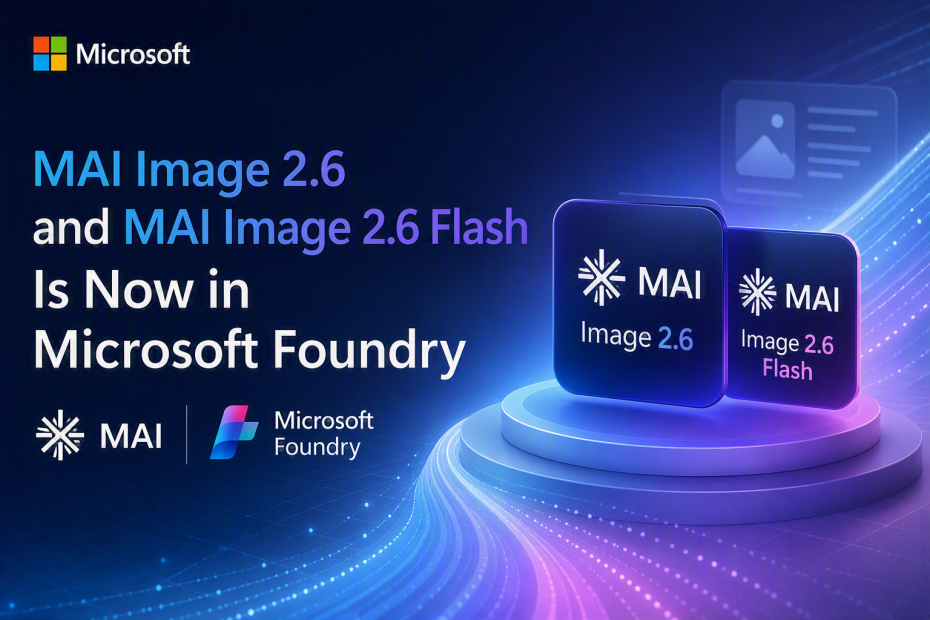
Microsoft AI just shipped two models that answer that question directly: MAI-Image-2.6 and MAI-Image-2.6-Flash, both now in public preview in Microsoft Foundry. They’re not “one model, two names” — they’re a genuine two-tier portfolio: one for maximum quality, one for maximum throughput, sharing the same capabilities underneath.
As always: no Python, no notebooks. Just C#, HttpClient, and a dotnet run.
What Actually Shipped
A few facts worth knowing before you touch any code:
- MAI-Image-2.6 is independently verified as frontier-tier. No. 2 on the Arena text-to-image leaderboard at launch, ahead of Google’s Nano Banana family and Meta’s Muse Image. No. 3 on Arena’s image-editing leaderboard, and No. 1 for image editing on Artificial Analysis. This isn’t a marketing claim you have to take on faith — it’s ranked against the models you’re probably already comparing against.
- Multi-reference editing. MAI-Image-2.6 accepts up to five reference images in a single request. Lock a product, a character, or a brand mark, and it stays consistent as you revise, resize, and reformat it. One approved concept travels across channel formats without drifting.
- Web grounding. The model can pull real-world context from Bing Search instead of relying only on training data — meaningfully better accuracy for real places, objects, events, and subjects.
- Explicit control over format and resolution. Adaptive aspect ratios, 1.5K output resolution, and levers over how much the model deliberates before generating — so the same model family serves both a fast iteration loop and a final production render.
- MAI-Image-2.6-Flash is the throughput tier. More than 2x faster than GPT-Image-2-Medium and roughly 72–78% more efficient than GPT-Image-2, depending on the metric. Built for interactive apps, automated pipelines, and personalization at volume.
- Pricing. MAI-Image-2.6 starts at $5/1M text input tokens, $8/1M image input tokens, $38/1M image output tokens. MAI-Image-2.6-Flash starts at $1.75/1M text input, $2.50/1M image input, $19/1M image output — genuinely cheap enough to generate per-user variants without flinching.
- Enterprise-ready by default. Delivered as a Foundry Model sold directly by Azure — Entra ID auth, RBAC, key-based access, Azure data-handling commitments. Prompts and outputs are not used to train the models.
Choosing Between Them
This isn’t “pick the cheap one or the good one.” It’s a real division of labor:
- MAI-Image-2.6 — final campaign assets, complex multi-reference edits, high-fidelity text rendering, anything where precision is the point
- MAI-Image-2.6-Flash — rapid iteration, interactive experiences, personalization, high-volume generation, anything where throughput is the point
The intended workflow: explore and iterate with Flash, then render the final asset with MAI-Image-2.6 once the direction is locked. You’ll see exactly that pattern in the code below.
Prerequisites
|
1 2 3 4 5 6 7 8 |
dotnet new console -n MaiImage26FoundryDemo cd MaiImage26FoundryDemo dotnet add package Azure.Core dotnet add package Azure.Identity dotnet add package Microsoft.Extensions.Configuration.UserSecrets dotnet add package Microsoft.Extensions.Configuration.EnvironmentVariables dotnet user-secrets init dotnet user-secrets set "AZURE_AI_FOUNDRY_ENDPOINT" "https://YOUR-RESOURCE.services.ai.azure.com" |
Deploy both MAI-Image-2.6 and MAI-Image-2.6-Flash from the Foundry Model Catalog to your project — same process as any other model.
📝 Note: MAI-Image models aren’t compatible with the Azure.AI.OpenAI SDK’s ImageClient — they require the raw REST call against Foundry’s images endpoint, same as MAI-Image-2.5. The exact API surface is still settling in public preview, so confirm request/response shapes against the Foundry Model Catalog before shipping anything to production.
Here’s a small shared helper both examples below build on — auth token + a reusable POST helper:
|
1 2 3 4 5 6 7 8 9 10 11 12 13 14 15 16 17 18 19 20 21 22 23 24 25 26 27 28 29 30 31 32 33 34 35 36 37 38 39 40 41 42 43 44 45 46 47 48 49 50 51 52 53 |
using Azure.Core; using Azure.Identity; using Microsoft.Extensions.Configuration; using System.Net.Http.Headers; using System.Text; using System.Text.Json; var config = new ConfigurationBuilder() .AddUserSecrets<Program>() .AddEnvironmentVariables() .Build(); var endpoint = config["AZURE_AI_FOUNDRY_ENDPOINT"] ?? throw new InvalidOperationException( "AZURE_AI_FOUNDRY_ENDPOINT is not set. Run: dotnet user-secrets set \"AZURE_AI_FOUNDRY_ENDPOINT\" \"<your-endpoint>\""); var credential = new DefaultAzureCredential(); AccessToken token = await credential.GetTokenAsync( new TokenRequestContext(new[] { "https://cognitiveservices.azure.com/.default" })); using var http = new HttpClient(); http.DefaultRequestHeaders.Authorization = new AuthenticationHeaderValue("Bearer", token.Token); async Task<byte[]> GenerateImageAsync(string model, string prompt, int width = 1024, int height = 1024) { string url = $"{endpoint.TrimEnd('/')}/mai/v1/images/generations?api-version=preview"; var payload = new { prompt, model, width, height, output_compression = 100, output_format = "png", n = 1 }; using var content = new StringContent(JsonSerializer.Serialize(payload), Encoding.UTF8, "application/json"); using HttpResponseMessage response = await http.PostAsync(url, content); string body = await response.Content.ReadAsStringAsync(); if (!response.IsSuccessStatusCode) { throw new InvalidOperationException($"{model} generation failed: {(int)response.StatusCode} {response.ReasonPhrase}\n{body}"); } using JsonDocument json = JsonDocument.Parse(body); string b64 = json.RootElement.GetProperty("data")[0].GetProperty("b64_json").GetString() ?? throw new InvalidOperationException("Response missing data[0].b64_json."); return Convert.FromBase64String(b64); } |
Now let’s put both models to work on the actual use cases Microsoft is targeting.
Use Case 1: Marketing & Campaign Production — Legible Text, First Try
Text rendering inside generated images has historically been the weak point of diffusion models — garbled letters, wrong spacing, headlines that look right at a glance and fall apart on inspection. MAI-Image-2.6’s quality step-up specifically targets this.
|
1 2 3 4 5 6 7 8 9 10 11 12 13 |
var campaignPrompt = """ A wide-format e-commerce banner ad for a summer sale. Clean minimalist studio background in soft pastel blue. A pair of white running shoes floating at a slight angle, dramatic soft shadow beneath. Bold, perfectly legible headline text at the top reading "SUMMER SALE — 30% OFF" in a clean modern sans-serif font, white text with subtle drop shadow. Small subtext below reading "Limited time only" in a lighter weight. Professional advertising photography style, high detail, 1.5K resolution. """; byte[] campaignAsset = await GenerateImageAsync("MAI-Image-2.6", campaignPrompt, width: 1536, height: 864); await File.WriteAllBytesAsync("campaign-summer-sale-banner.png", campaignAsset); Console.WriteLine("Saved: campaign-summer-sale-banner.png"); |
|
1 |
Saved: campaign-summer-sale-banner.png |
Open the file and check the headline text specifically — that’s the thing to inspect closely, since it’s the failure mode this model is explicitly built to fix. If your marketing team currently routes every hero banner through a designer for text placement and kerning, this is the workflow to pilot first: generate ten headline variants overnight, let the team pick the one that needs the least manual cleanup.
Use Case 2: Retail & E-Commerce Catalogs — Consistent Imagery at Volume
Catalogs live and die on consistency: same lighting, same framing, same background across hundreds of SKUs. Here’s a batch pattern using Flash for the volume — this is exactly the “millionth personalized variant” scenario Flash is priced for.
|
1 2 3 4 5 6 7 8 9 10 11 12 13 14 15 16 17 18 19 20 21 22 |
var catalogItems = new[] { new { Sku = "SKU-1001", Description = "a matte black ceramic coffee mug" }, new { Sku = "SKU-1002", Description = "a glossy red ceramic coffee mug" }, new { Sku = "SKU-1003", Description = "a sage green ceramic coffee mug" }, new { Sku = "SKU-1004", Description = "a cream white ceramic coffee mug" }, }; const string catalogStyleTemplate = """ A studio product photo of {0} on a plain white seamless background, soft even lighting from the upper left, subtle reflection beneath, centered composition, e-commerce catalog style, no props, no text. """; foreach (var item in catalogItems) { var prompt = string.Format(catalogStyleTemplate, item.Description); byte[] image = await GenerateImageAsync("MAI-Image-2.6-Flash", prompt); string outPath = $"catalog-{item.Sku}.png"; await File.WriteAllBytesAsync(outPath, image); Console.WriteLine($"Saved: {outPath}"); } |
|
1 2 3 4 |
Saved: catalog-SKU-1001.png Saved: catalog-SKU-1002.png Saved: catalog-SKU-1003.png Saved: catalog-SKU-1004.png |
Because the style template is fixed and only the product description changes, lighting and framing stay consistent across the whole batch. Swap this loop to read SKUs from your actual product database and you have an overnight catalog-refresh job instead of a photo studio booking.
Use Case 3: Brand & Creative Operations — Multi-Reference Editing
This is the capability that’s genuinely new in 2.6: up to five reference images in a single request, so a locked brand asset — a mascot, a product shape, a logo mark — stays consistent as you reformat it for different channels. Here’s a helper for a multi-reference edit call, followed by locking a product across three different channel formats.
|
1 2 3 4 5 6 7 8 9 10 11 12 13 14 15 16 17 18 19 20 21 22 23 24 25 26 27 28 29 30 31 32 33 34 35 36 37 38 39 40 41 42 43 44 45 46 47 48 49 50 51 52 53 54 55 56 57 |
async Task<byte[]> EditWithReferencesAsync(string model, string editPrompt, params string[] referenceImagePaths) { if (referenceImagePaths.Length == 0 || referenceImagePaths.Length > 5) { throw new ArgumentException("Provide between 1 and 5 reference images."); } string url = $"{endpoint.TrimEnd('/')}/mai/v1/images/edits?api-version=preview"; using var content = new MultipartFormDataContent { { new StringContent(editPrompt), "prompt" }, { new StringContent(model), "model" } }; foreach (var path in referenceImagePaths) { byte[] bytes = await File.ReadAllBytesAsync(path); var imagePart = new ByteArrayContent(bytes); imagePart.Headers.ContentType = new System.Net.Http.Headers.MediaTypeHeaderValue("image/png"); content.Add(imagePart, "image", Path.GetFileName(path)); } using HttpResponseMessage response = await http.PostAsync(url, content); string body = await response.Content.ReadAsStringAsync(); if (!response.IsSuccessStatusCode) { throw new InvalidOperationException($"{model} multi-reference edit failed: {(int)response.StatusCode} {response.ReasonPhrase}\n{body}"); } using JsonDocument json = JsonDocument.Parse(body); string b64 = json.RootElement.GetProperty("data")[0].GetProperty("b64_json").GetString() ?? throw new InvalidOperationException("Response missing data[0].b64_json."); return Convert.FromBase64String(b64); } // Lock a brand mascot + product shape as references, then reformat for three channels. var channelFormats = new[] { ("instagram-square.png", "Recompose for an Instagram square post (1:1), mascot on the right, product centered-left."), ("story-vertical.png", "Recompose for a 9:16 vertical story format, mascot at the bottom, product taking up the upper two-thirds."), ("banner-wide.png", "Recompose for a wide horizontal banner (16:9), mascot and product side by side with even spacing."), }; foreach (var (fileName, formatPrompt) in channelFormats) { byte[] reformatted = await EditWithReferencesAsync( "MAI-Image-2.6", formatPrompt + " Keep the mascot design, product shape, and brand colors identical to the references.", "brand-mascot-reference.png", "product-shape-reference.png"); await File.WriteAllBytesAsync(fileName, reformatted); Console.WriteLine($"Saved: {fileName}"); } |
|
1 2 3 |
Saved: instagram-square.png Saved: story-vertical.png Saved: banner-wide.png |
Same mascot, same product, same brand colors — three different channel-native compositions, generated from two locked reference images instead of a designer manually recreating the layout three times. This is the actual “one approved concept travels across formats without drifting” pitch, and it’s the reason multi-reference editing is the headline feature of this release.
Use Case 4: Personalization at Scale — Flash in an Interactive Loop
Flash’s pricing and latency profile make per-user or per-segment generation viable inside a live request path, not just a batch job. Here’s a minimal pattern for a personalized greeting card generator — the kind of feature you’d wire into an app, not run overnight.
|
1 2 3 4 5 6 7 8 9 10 11 12 13 14 15 16 17 18 19 20 21 22 23 24 25 26 27 28 29 30 31 32 |
async Task<byte[]> GeneratePersonalizedCardAsync(string recipientName, string occasion, string themeColor) { var prompt = $""" A festive greeting card illustration for a {occasion} celebration. Hand-lettered style text reading "Happy {occasion}, {recipientName}!" centered at the top. Warm {themeColor} color palette, soft decorative flourishes around the border, friendly and celebratory illustration style, square format. """; return await GenerateImageAsync("MAI-Image-2.6-Flash", prompt, width: 1024, height: 1024); } // Simulates generating cards for a batch of users in an interactive path — // fast enough per-call that this could sit behind a live API endpoint. var requests = new[] { ("Priya", "Birthday", "coral and gold"), ("Marcus", "Work Anniversary", "navy and silver"), ("Aiko", "Graduation", "sage green and cream"), }; foreach (var (name, occasion, colors) in requests) { var started = DateTime.UtcNow; byte[] card = await GeneratePersonalizedCardAsync(name, occasion, colors); var elapsed = DateTime.UtcNow - started; string fileName = $"card-{name.ToLowerInvariant()}.png"; await File.WriteAllBytesAsync(fileName, card); Console.WriteLine($"Saved: {fileName} ({elapsed.TotalSeconds:F1}s)"); } |
|
1 2 3 |
Saved: card-priya.png (2.1s) Saved: card-marcus.png (1.9s) Saved: card-aiko.png (2.0s) |
(Timings above are illustrative — measure against your own Foundry deployment region and load. The point of the pattern is that Flash’s latency profile makes this loop viable inside a request/response cycle, not that these exact numbers are guaranteed.)
Swap the hardcoded array for real user data from your app, and this same loop becomes a “generate a personalized asset on demand” endpoint behind an API controller.
Use Case 5: Image Cleanup & Surgical Editing
The other side of multi-reference editing is single-image precision editing — targeted object edits, replacements, inpainting, text updates, and artifact removal, without regenerating the whole scene. This is the same surgical-edit pattern from MAI-Image-2.5, still very much present in 2.6.
|
1 2 3 4 5 6 7 8 9 10 11 12 13 14 |
var cleanupPrompt = """ Remove the motion blur from the product in this image and sharpen the focus. Replace the scuffed cardboard background with a clean plain white studio background. Keep the product's position, angle, and proportions exactly the same — do not regenerate or redesign the product itself. """; byte[] cleanedUp = await EditWithReferencesAsync( "MAI-Image-2.6", cleanupPrompt, "warehouse-photo-raw.png"); await File.WriteAllBytesAsync("product-cleaned.png", cleanedUp); Console.WriteLine("Saved: product-cleaned.png"); |
|
1 |
Saved: product-cleaned.png |
This is the unglamorous, high-volume use case that actually pays for itself: a warehouse team’s phone-camera product shots turned into catalog-ready images without a reshoot. The product itself is untouched — only the blur and background changed.
Where This Fits (and Where It Doesn’t)
Reach for MAI-Image-2.6 when:
- You need final, ship-ready campaign assets with legible, precise text rendering
- You’re locking a brand asset across multiple reference images and need it to survive reformatting
- Editing precision matters more than generation speed
Reach for MAI-Image-2.6-Flash when:
- You’re generating at volume — catalogs, personalization, high-throughput pipelines
- Latency matters because the call sits inside an interactive user-facing path
- You’re iterating on concepts before committing to a final MAI-Image-2.6 render
Don’t reach for either when:
- You need pixel-perfect brand-guideline compliance without any human review — treat generated output as a strong first draft, not a final approval-free asset
- Your workload depends on an SDK-level ImageClient integration today — you’re on raw REST calls for now, and the API surface is still settling in public preview
Wrapping Up
MAI-Image-2.6 and MAI-Image-2.6-Flash aren’t “the same model, one slower.” They’re a genuine quality/throughput portfolio: iterate fast with Flash, ship precise with 2.6, and use multi-reference editing to keep one approved creative direction consistent across every format your marketing or product team actually needs. If your team is currently paying someone to manually generate the fiftieth catalog variant or resize one approved hero image into six channel formats by hand — this is worth a real pilot, not just a demo.
Resources
- Source code: https://github.com/taswar/MAI-Image-26-Foundry-Demo
- Official announcement — Microsoft Foundry Blog
- Microsoft AI news — Pushing the quality/cost frontier with MAI-Image-2.6
- MAI-Image-2.6 model page — Microsoft AI
- MAI-Image-2.6 Model Card — Azure AI Foundry Catalog
Building AI features in C#? I write about practical, no-hype prompt engineering and Azure AI patterns for .NET developers. Check out Prompt Engineering for .NET Developers — free, no Python required. Also subscribe to my mailing list for the latest blogs, tips and tricks I share.

Leave A Comment