Here is a quick little tutorial of using Twitter Bootstrap with Node.js express in Visual Studio.
First we will create a ExpressBootstrap solution, select New Project and select JavaScript -Blank Express Application.
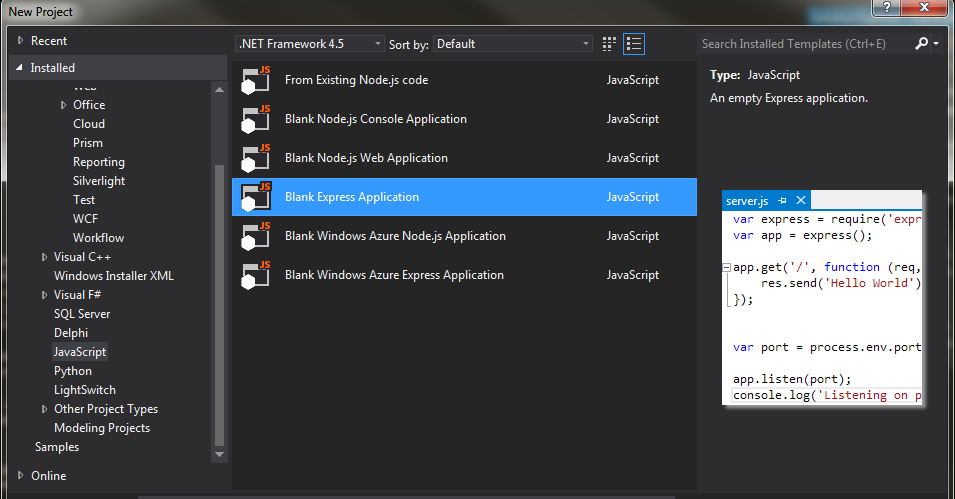
I will name my solution ExpressBootstrap, in my app.js I have also add the app.locals.appname = ‘Express Bootstrap’ so that I can reference it in my application.
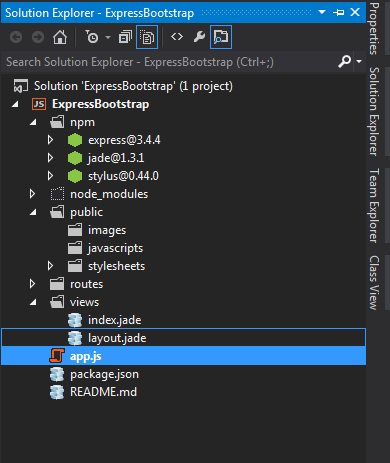
Next we will download and install bootstrap, this is the manual way of installing bootstrap, there is also an alternative by using bower, which I will cover in my next blog post.
One can download the latest bootstrap from http://getbootstrap.com/getting-started/#download
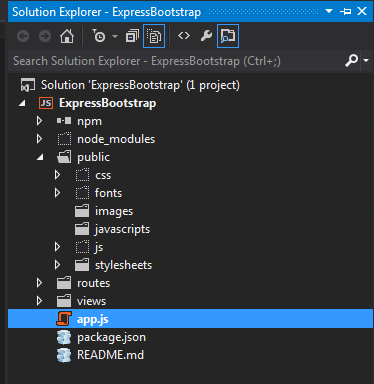
Once downloaded lets grab the css, font and js directory and copy them into our public folder in our express application.
Next we will change our layout.jade file to use bootstrap