class Program
{
static void Main(string[] args)
{
var redis = RedisStore.RedisCache;
RedisKey topHackerKeys = "hackers";
RedisKey alphaKey = "alphaKey";
RedisKey destinationKey = "destKey";
RedisKey intersectKey = "intersectKey";
redis.KeyDelete(topHackerKeys, CommandFlags.FireAndForget);
redis.KeyDelete(alphaKey, CommandFlags.FireAndForget);
redis.KeyDelete(intersectKey, CommandFlags.FireAndForget);
redis.KeyDelete(destinationKey, CommandFlags.FireAndForget);
//According to http://www.arkhitech.com/12-greatest-programmers-of-all-time/
var topProgrammers = new[] {
"Dennis Ritchie",
"Linus Torvalds",
"Bjarne Stroustrup",
"Tim Berners-Lee",
"Brian Kernighan",
"Donald Knuth",
"Ken Thompson",
"Guido van Rossum",
"James Gosling",
"Bill Gates",
"Niklaus Wirth",
"Ada Lovelace"
};
//add 12 items to the sorted set
for (int i = 0, j = 1; i < topProgrammers.Length; i++, j++)
redis.SortedSetAdd(topHackerKeys, topProgrammers[i], j);
var members = redis.SortedSetScan(topHackerKeys);
Console.WriteLine(string.Join(",\n", members));
/* output
* Dennis Ritchie: 1,
* Linus Torvalds: 2,
* Bjarne Stroustrup: 3,
* Tim Berners-Lee: 4,
* Brian Kernighan: 5,
* Donald Knuth: 6,
* Ken Thompson: 7,
* Guido van Rossum: 8,
* James Gosling: 9,
* Bill Gates: 10,
* Niklaus Wirth: 11,
* Ada Lovelace: 12
*/
Console.WriteLine(redis.SortedSetLength(topHackerKeys)); //output 12
var byRanks = redis.SortedSetRangeByRank(topHackerKeys);
Console.WriteLine(string.Join(",\n", byRanks));
/* output
* Dennis Ritchie,
* Linus Torvalds,
* Bjarne Stroustrup,
* Tim Berners-Lee,
* Brian Kernighan,
* Donald Knuth,
* Ken Thompson,
* Guido van Rossum,
* James Gosling,
* Bill Gates,
* Niklaus Wirth,
* Ada Lovelace
*/
Console.WriteLine(redis.SortedSetRank(topHackerKeys, "Linus Torvalds")); //output 1
var byScore = redis.SortedSetRangeByScore(topHackerKeys, 1, topProgrammers.Length,Exclude.None, Order.Descending);
Console.WriteLine(string.Join(",\n", byScore));
/*output
* Ada Lovelace,
* Niklaus Wirth,
* Bill Gates,
* James Gosling,
* Guido van Rossum,
* Ken Thompson,
* Donald Knuth,
* Brian Kernighan,
* Tim Berners-Lee,
* Bjarne Stroustrup,
* Linus Torvalds,
* Dennis Ritchie
*/
redis.SortedSetIncrement(topHackerKeys, "Linus Torvalds", 100);
Console.WriteLine(redis.SortedSetScore(topHackerKeys, "Linus Torvalds")); //output 102, since it was 2 to being with
redis.SortedSetDecrement(topHackerKeys, "Linus Torvalds", 100);
Console.WriteLine(redis.SortedSetScore(topHackerKeys, "Linus Torvalds")); //output 2 back to original value
redis.SortedSetAdd(alphaKey, "a", 1);
redis.SortedSetAdd(alphaKey, "b", 1);
redis.SortedSetAdd(alphaKey, "c", 1);
redis.SortedSetCombineAndStore(SetOperation.Union, destinationKey, topHackerKeys, alphaKey);
members = redis.SortedSetScan(destinationKey);
Console.WriteLine("**********UNION**************");
Console.WriteLine(string.Join(",\n", members));
/* output
* Dennis Ritchie: 1,
* a: 1,
* b: 1,
* c: 1,
* Linus Torvalds: 2,
* Bjarne Stroustrup: 3,
* Tim Berners-Lee: 4,
* Brian Kernighan: 5,
* Donald Knuth: 6,
* Ken Thompson: 7,
* Guido van Rossum: 8,
* James Gosling: 9,
* Bill Gates: 10,
* Niklaus Wirth: 11,
* Ada Lovelace: 12
*/
redis.SortedSetCombineAndStore(SetOperation.Intersect, intersectKey, topHackerKeys, destinationKey);
members = redis.SortedSetScan(intersectKey);
//note it double the key scores
Console.WriteLine("**********INTERSECT**************");
Console.WriteLine(string.Join(",\n", members));
/*output
* Dennis Ritchie: 2,
* Linus Torvalds: 4,
* Bjarne Stroustrup: 6,
* Tim Berners-Lee: 8,
* Brian Kernighan: 10,
* Donald Knuth: 12,
* Ken Thompson: 14,
* Guido van Rossum: 16,
* James Gosling: 18,
* Bill Gates: 20,
* Niklaus Wirth: 22,
* Ada Lovelace: 24
*/
members = redis.SortedSetRangeByScoreWithScores(topHackerKeys, 2, 4);
Console.WriteLine("**********RANGE BY SCORE WITH SCORES**************");
Console.WriteLine(string.Join(",\n", members));
/*output
* Linus Torvalds: 2,
* Bjarne Stroustrup: 3,
* Tim Berners-Lee: 4
*/
redis.SortedSetRemove(alphaKey, "a");
members = redis.SortedSetScan(alphaKey);
Console.WriteLine("**********REMOVE**************");
Console.WriteLine(string.Join(",\n", members));
/*output
* b: 1,
* c: 1
*/
redis.SortedSetRemoveRangeByScore(destinationKey, 0, 11);
members = redis.SortedSetScan(destinationKey);
Console.WriteLine("**********REMOVE BY SCORE**************");
Console.WriteLine(string.Join(",\n", members));
/* output
* Ada Lovelace: 12
*/
Console.ReadKey();
}
}








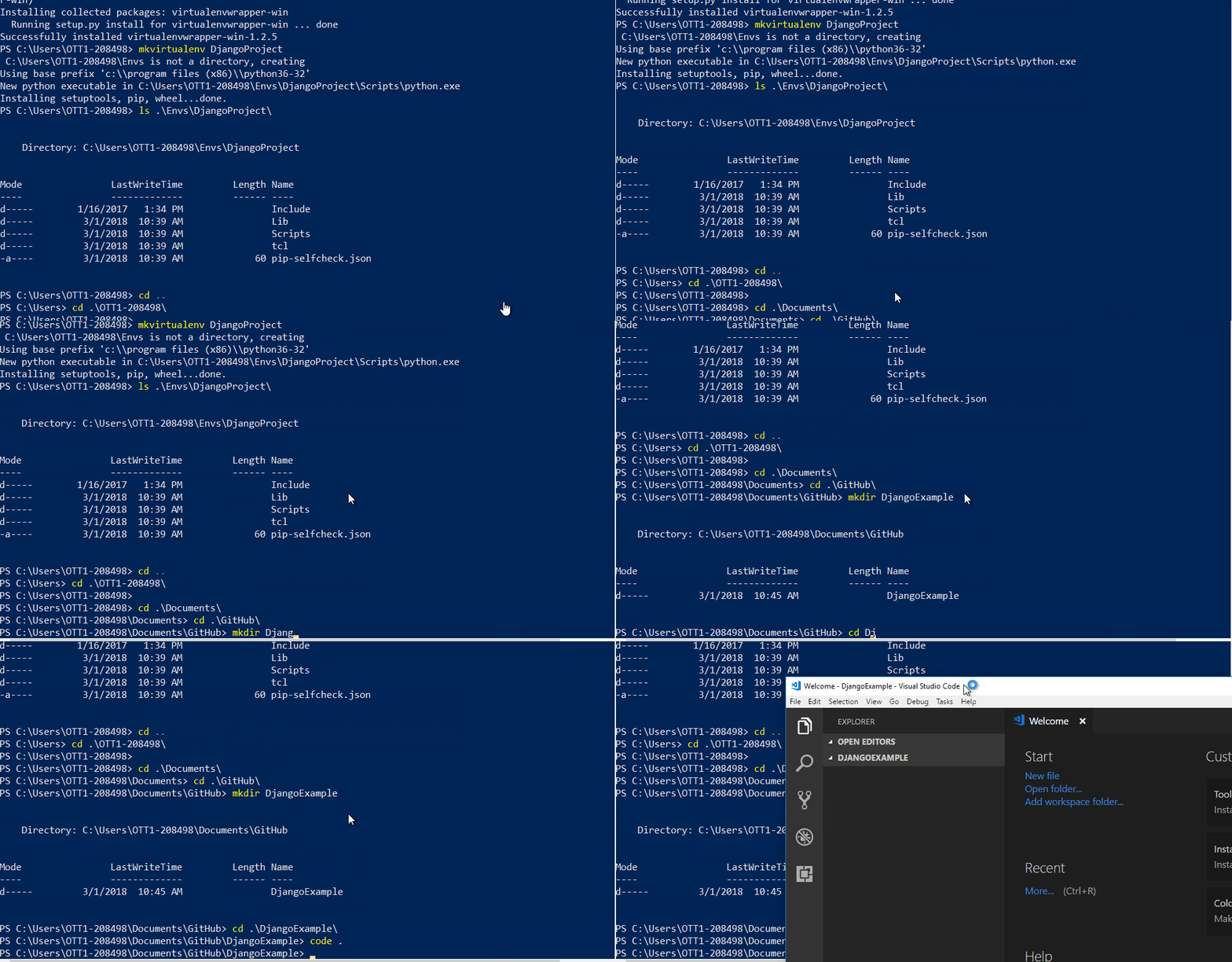
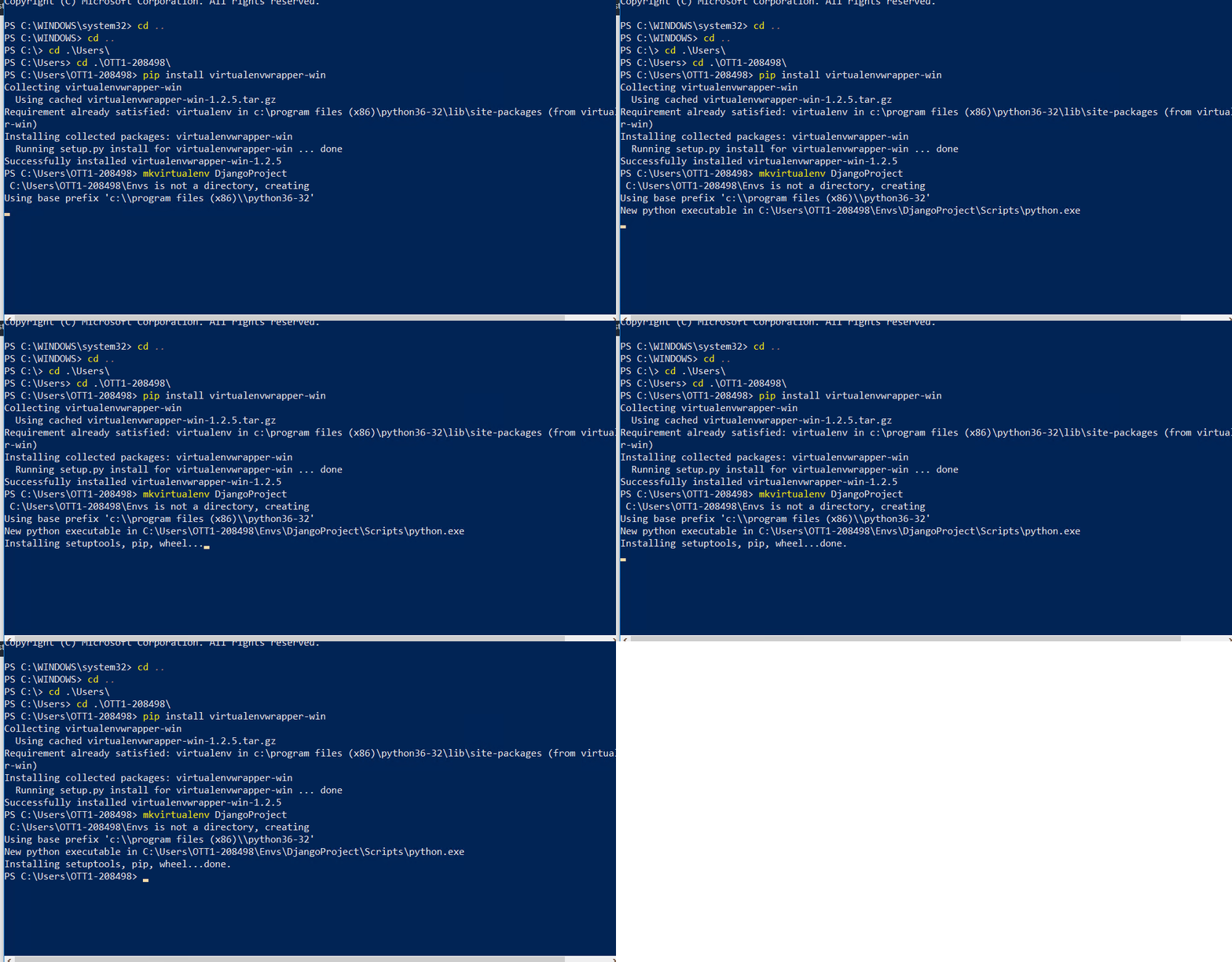 Install virtualenvwrapper-win